
Meta Description: Discover how to choose between GPU, TPU, and CPU for your AI projects. Detailed comparison, costs, performance benchmarks, and expert recommendations for 2025.
Artificial intelligence is transforming our world at breakneck speed, but behind every groundbreaking model lies a crucial question: which hardware should you choose to optimize performance and costs?
Whether you’re a data scientist, ML engineer, or technology decision-maker, the choice between GPU, TPU, and CPU can make or break your AI projects. With the explosion of large language models and machine learning applications, this decision has become more complex than ever.
In this comprehensive guide, we break down architectures, analyze real costs, and give you the keys to make the right choice based on your specific needs.
Architecture and Fundamentals: Understanding the Differences
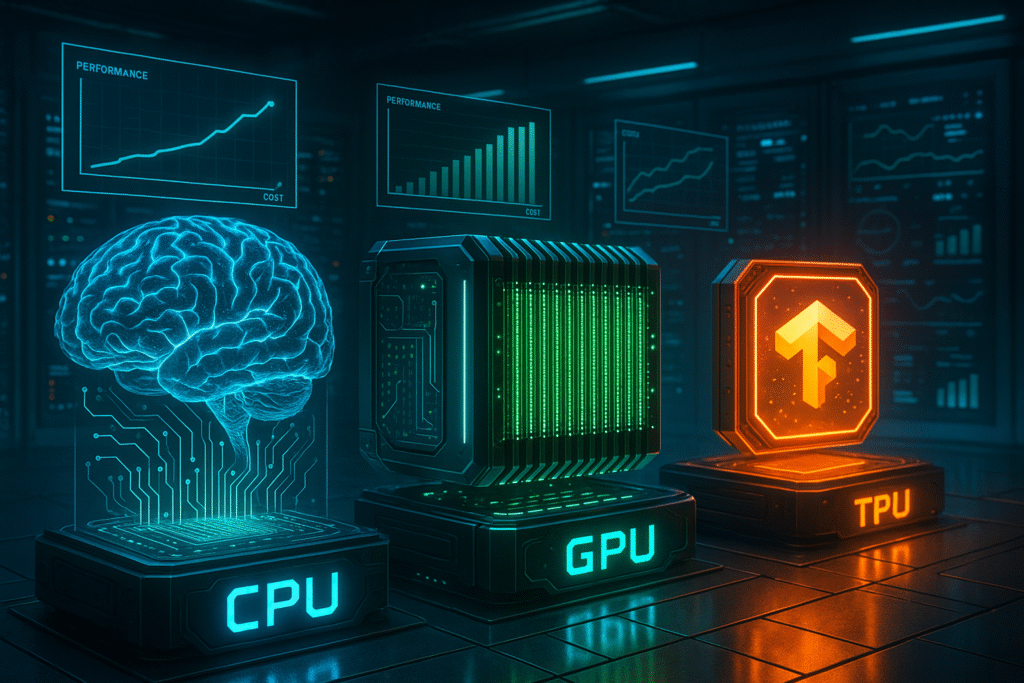
CPU: The Versatile Brain
The Central Processing Unit remains the heart of any computing system. Designed for versatility, it excels at complex sequential tasks thanks to its powerful but limited cores (typically 4 to 64 cores).
Key advantages:
- Maximum flexibility for all types of applications
- Ultra-low latency for critical tasks
- Mature and universal software ecosystem
- Accessible entry cost
Limitations:
- Limited parallelization for matrix computations
- High energy consumption per calculation
- Insufficient performance for large models
GPU: Parallel Processing Power
Graphics Processing Units have revolutionized AI through their massively parallel architecture. A modern GPU like the NVIDIA H100 packs over 16,000 CUDA cores optimized for matrix calculations.
NVIDIA Ada Lovelace Architecture:
- 16,896 CUDA cores
- 80GB HBM3 memory
- 3TB/s bandwidth
- Native support for FP8 and INT4 formats
Strengths:
- Dramatic acceleration of parallel computations
- Rich and mature CUDA ecosystem
- Flexibility for both training and inference
- Multi-framework support (PyTorch, TensorFlow, JAX)
TPU: Custom-Built for AI
Google’s Tensor Processing Units represent the specialized hardware approach. These ASICs (Application-Specific Integrated Circuits) are designed exclusively for machine learning.
TPU v5e Specifications:
- Optimized systolic architecture
- 16GB high-bandwidth memory
- 50% reduced power consumption
- Native integration with Google Cloud
Distinctive advantages:
- Superior energy efficiency
- Native optimization for TensorFlow
- Reduced cost for specific workloads
- Massive scalability (4,096 TPU pods)
Optimal Use Cases: Matching Hardware to Applications
Model Training: Performance vs Cost
For Language Models (LLM):
H100 GPUs currently dominate the training market thanks to their generous memory and multi-precision support. A cluster of 8x H100 can train a 7B parameter model in 2-3 days.
TPU v4 excels for Transformer architectures thanks to XLA optimization and JAX integration. Google reports 30% gains on BERT-Large compared to equivalent GPUs.
CPU remains viable only for small models (<100M parameters) or intensive preprocessing phases.
Inference: Batch vs Real-Time
Batch inference (batch processing):
- TPU v5e: Performance/cost champion
- GPU A100: Versatility and mature ecosystem
- Optimized CPU (Intel Xeon): Economic solution for moderate loads
Real-time inference:
- GPU RTX 4090: Sub-millisecond latency for critical applications
- High-frequency CPU: Predictability and reduced cost
- TPU Edge: Energy efficiency for mobile deployments
Computer Vision: Hardware Specializations
GPUs maintain their advantage for vision tasks thanks to CUDA and cuDNN optimizations. CNN architectures particularly benefit from Tensor Cores.
TPUs excel on Vision Transformer (ViT) architectures with measured 40% gains on ImageNet-21k.
Cloud vs On-Premise: TCO Analysis and Strategy
Cloud: Flexibility and Scalability
AWS EC2 P4d (8x A100 80GB):
- Cost: $32.77/hour
- Advantages: Instant scaling, zero maintenance
- Disadvantages: High recurring costs, vendor dependency
Google Cloud TPU v4 (8 cores):
- Cost: $8.00/hour
- Advantages: Native TensorFlow integration, reduced cost
- Disadvantages: Limited ecosystem, learning curve
On-Premise: Control and Long-Term TCO
DGX H100 Server (8x H100):
- Initial investment: $400,000
- ROI break-even: 12-18 months of intensive use
- Advantages: Total control, private data, no network latency
3-Year TCO Calculation:
- Intensive cloud: $850,000+ (24/7 utilization)
- On-premise: $500,000 (hardware + maintenance + electricity)
New Players: The Specialized Chip Revolution
Cerebras CS-2: The Wafer-Scale Giant
The Cerebras CS-2 packs 850,000 cores on a single 7nm wafer, revolutionizing massive model training.
Revolutionary specifications:
- 40GB on-chip memory
- 20PB/s internal bandwidth
- Zero latency communication between cores
- Native support for 20B+ parameter models
Groq: Inference Reimagined
Groq’s Language Processing Units (LPU) achieve record inference speeds through their deterministic architecture.
Measured performance:
- 750 tokens/second on Llama-2 7B
- First response latency: 230ms
- 10x superior energy efficiency vs GPUs
Intel Habana Gaudi2: The European Alternative
Gaudi2 aims to break NVIDIA’s monopoly with a training-optimized approach.
Competitive advantages:
- 96GB HBM2E memory
- Integrated 200GbE Ethernet
- 40% lower price than equivalent GPUs
- Native PyTorch support
Software Optimization by Hardware
CUDA: The NVIDIA Ecosystem
CUDA 12.0 introduces crucial optimizations:
- Hopper Architecture support: Fully exploits H100s
- Multi-Instance GPU: Virtual partitioning for maximum efficiency
- cuBLAS-LT: Automatic deep learning operation acceleration
Optimization example:
# CUDA optimization for mixed precision training
model = model.cuda()
optimizer = torch.optim.AdamW(model.parameters())
scaler = torch.cuda.amp.GradScaler()

with torch.cuda.amp.autocast():
    output = model(input)
    loss = criterion(output, target)
XLA: Google’s Optimizer
XLA (Accelerated Linear Algebra) automatically compiles TensorFlow/JAX graphs for TPU/GPU.
Measured gains:
- 30% average acceleration on Transformer models
- 25% reduction in memory consumption
- Unified multi-hardware support
Intel MKL-DNN: High-Performance CPU
oneDNN optimizes neural networks for Intel/AMD architectures.
Key optimizations:
- Automatic AVX-512 vectorization
- Cache-aware memory layout
- Optimal thread parallelism
Cost Calculator and ROI
TCO Calculation Methodology
Factors to consider:
- Initial hardware cost
- Purchase price
- Infrastructure (cooling, power)
- Installation and configuration
- Operational costs
- Electricity ($0.12/kWh US average)
- Maintenance and support
- Technical personnel
- Opportunity costs
- Time-to-market
- Future flexibility
- Risk mitigation
Calculation Example: AI Startup
Scenario: Training 1B-7B parameter models, 5-person team
Option 1 – Hybrid cloud:
- Development: 4x RTX 4090 local ($8,000)
- Production training: AWS P4d on-demand
- 2-year TCO: $85,000
Option 2 – On-premise:
- 2x DGX A100 workstations ($180,000)
- Infrastructure and maintenance ($25,000)
- 2-year TCO: $205,000
Recommendation: Cloud for initial phase, migrate on-premise after product-market fit.
Real Benchmarks: Measured Performance
Training Performance: BERT-Large
Configuration: 24 layers, 1024 hidden, 16 attention heads
| Hardware | Batch Size | Training Time | Cost/Epoch |
|---|---|---|---|
| 8x H100 | 512 | 45 minutes | $24.50 |
| 8x TPU v4 | 512 | 52 minutes | $6.93 |
| 8x A100 | 256 | 78 minutes | $21.20 |
Inference Performance: GPT-3.5 Style
Metrics: Tokens/second, P99 latency
| Solution | Throughput | P99 Latency | Cost/1M tokens |
|---|---|---|---|
| A100 80GB | 1,200 t/s | 150ms | $0.85 |
| TPU v5e | 950 t/s | 180ms | $0.42 |
| Groq LPU | 2,400 t/s | 85ms | $1.20 |
Computer Vision: ResNet-50 Training
Dataset: ImageNet-1K, 1000 classes
| Hardware | Images/sec | Training Time | Accuracy |
|---|---|---|---|
| 8x V100 | 12,000 | 8.2 hours | 76.2% |
| 8x TPU v3 | 14,500 | 6.8 hours | 76.1% |
| 8x H100 | 28,000 | 3.5 hours | 76.4% |
Recommendations by User Profile
Startups and SME Tech
Budget <$50K:
- 2-4x RTX 4090 for local R&D
- Spot cloud usage (AWS Spot, GCP Preemptible)
- Focus on optimized CPU for inference
Growth stage ($50K-$200K):
- DGX A100 workstation + hybrid cloud
- TPU v4 for TensorFlow workloads
- Rigorous TCO monitoring
Enterprise and Corporation
Mature infrastructure:
- Multi-cloud strategy (AWS + GCP + Azure)
- On-premise DGX H100 clusters
- Edge deployment (Jetson, TPU Edge)
Governance and compliance:
- On-premise hardware for sensitive data
- Cloud backup for disaster recovery
- Complete cost audit trail
Academic Research
Specific priorities:
- Free/subsidized access (Google Research Credits)
- Maximum experimental flexibility
- Publication and reproducibility
Optimal solutions:
- Google Colab Pro+ for prototyping
- Shared campus clusters
- Industrial hardware partnerships
Frequently Asked Questions (FAQ)
What’s the main difference between GPU and TPU?
GPUs are versatile and excellent for various AI tasks, while TPUs are specialized for neural networks with better energy efficiency but less flexibility. GPUs offer a more mature ecosystem (CUDA) but TPUs significantly reduce costs for compatible workloads.
When to choose on-premise vs cloud hardware?
Choose on-premise if you have intensive usage (>60% uptime), strict confidentiality requirements, or a 3+ year TCO budget. Opt for cloud if you have variable needs, initial budget constraints, or want to quickly test different architectures.
Are new players (Cerebras, Groq) viable?
Cerebras excels for training very large models (>10B parameters) with substantial gains. Groq revolutionizes inference with record latencies. However, their software ecosystem is less mature than NVIDIA/Google, limiting adoption to specific use cases.
How to optimize cloud costs for AI?
Use spot/preemptible instances (up to 90% savings), implement intelligent auto-scaling, optimize data locality, and negotiate reserved instances for predictable workloads. Actively monitor with tools like CloudWatch or GCP Operations.
CPU vs GPU for inference: what’s the trade-off?
CPU for critical latency (<10ms), variable loads, and constrained budgets. GPU for high throughput, complex models (>1B parameters), and demanding real-time applications. The break-even point is typically around 100-500 requests/second depending on model complexity.
Conclusion: Your 2026 Hardware Roadmap
The hardware choice for your AI projects has never been more crucial and complex. GPUs maintain their dominance through versatility and mature ecosystem, but TPUs offer an economic alternative for TensorFlow workloads. CPUs retain their relevance for lightweight inference and hybrid tasks.
The emergence of new players like Cerebras and Groq signals welcome diversification, but requires rigorous evaluation of maturity and long-term support.
Our final recommendations:
- Start small: Prototype in cloud, invest in hardware after validation
- Measure religiously: TCO, performance, and user satisfaction
- Stay agile: Hardware evolution is rapid, avoid lock-ins
- Optimize software: 30% performance gains are often achievable
- Plan for growth: Scalable architecture from day one
Ready to optimize your AI infrastructure? Download our personalized TCO calculator and start your hardware audit today. Tomorrow’s competitive advantage is built with today’s hardware decisions.
Did this article help you? Share it with your team and follow us for more expert guides on modern AI infrastructure.